Create faster wireframes with these AI tools
Learn how to speed up wireframing with these top tools in the design industry.
Wireframing is an important part of the ideation process when creating website, app and product designs. It’s when you create the skeleton layout of where the content goes and how they can function. Before stepping into visual design, it's best to create wireframes to save time and effort, and also get approval of UX patterns from other designers and stakeholders. But wireframing can be much faster with new tools, especially with generative AI. These tools provide a quick starting point, not the finished solution, as it still requires craft, judgment, and experience to create a design with intention.
What are the different types of wireframes?
There are 2 types of wireframes: Low fidelity and High fidelity.
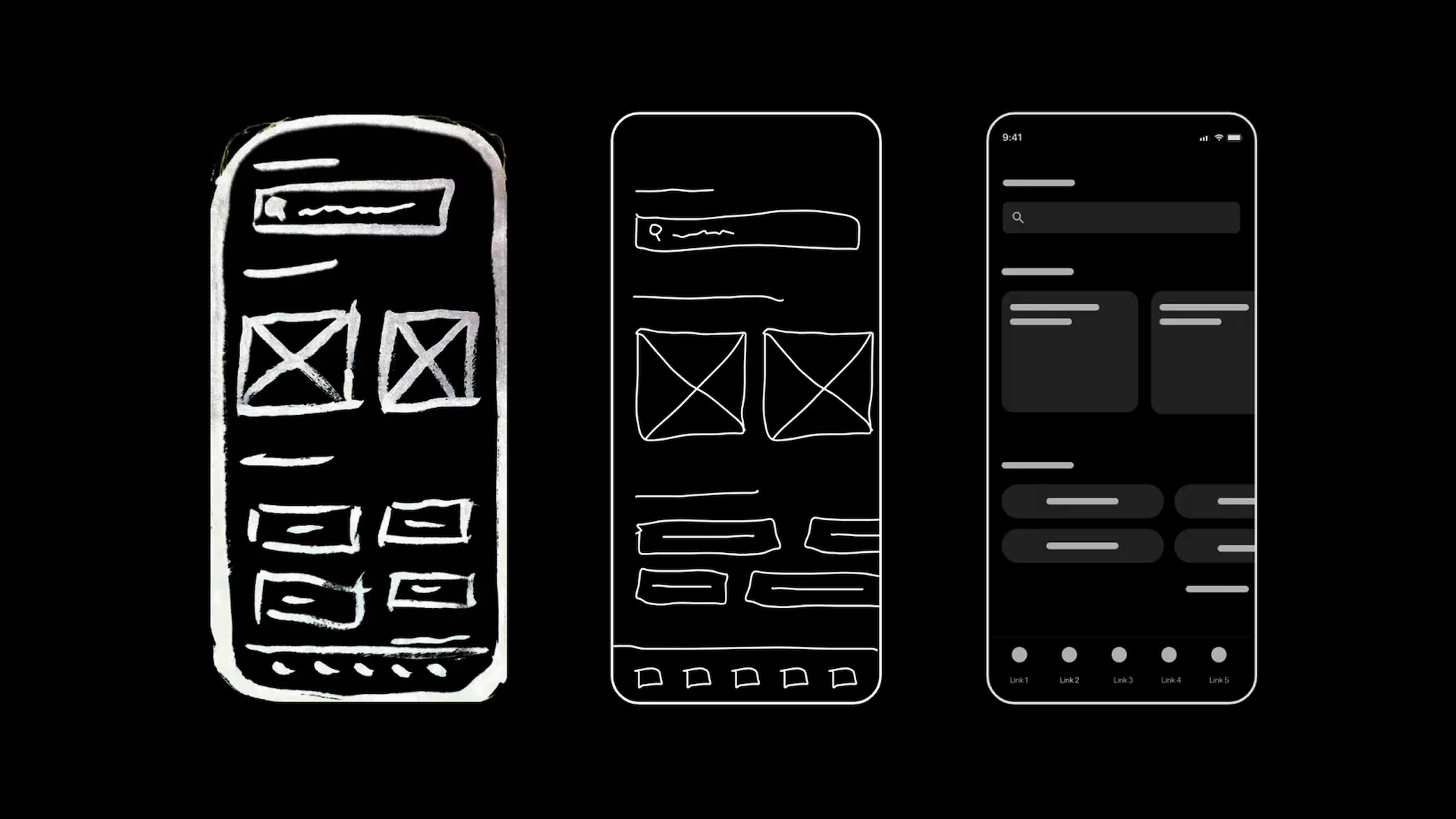
Low fidelity wireframes
Low fidelity wireframes are when you lay out the basic structure and interactions of the interface by using simple, grayscale shapes and lines. But they can be skipped if the project timeline is short or if the brand’s design system and UI library is already established.
High fidelity wireframes
High fidelity wireframes are more detailed with and can use colors and fonts. It can also contain content with placeholder images and copy, and can also outline user flows. It provides more context for clients, stakeholders, and other designers to understand more clearly. High fidelity wireframes can also be used to conduct initial user studies.
High-fidelity wireframes for Whirlpool Laundry app by ANML:

Top tools for wireframing
ANML does wireframes to save time and effort by getting early feedback on the architecture and UX patterns. Now with plugins and AI, the wireframing process just got faster with these top tools we always use in our projects. However, speed doesn’t replace craft. Wireframing still requires the expertise to make the designs intentional and differentiated. By gaining time at this early stage, the ANML team invests more deeply where it matters most, which is building unique and innovative interactions.
Figma Wireframe kits
Wireframe kits in Figma contain pre-made components for faster ideation without needing to create the layouts from scratch.
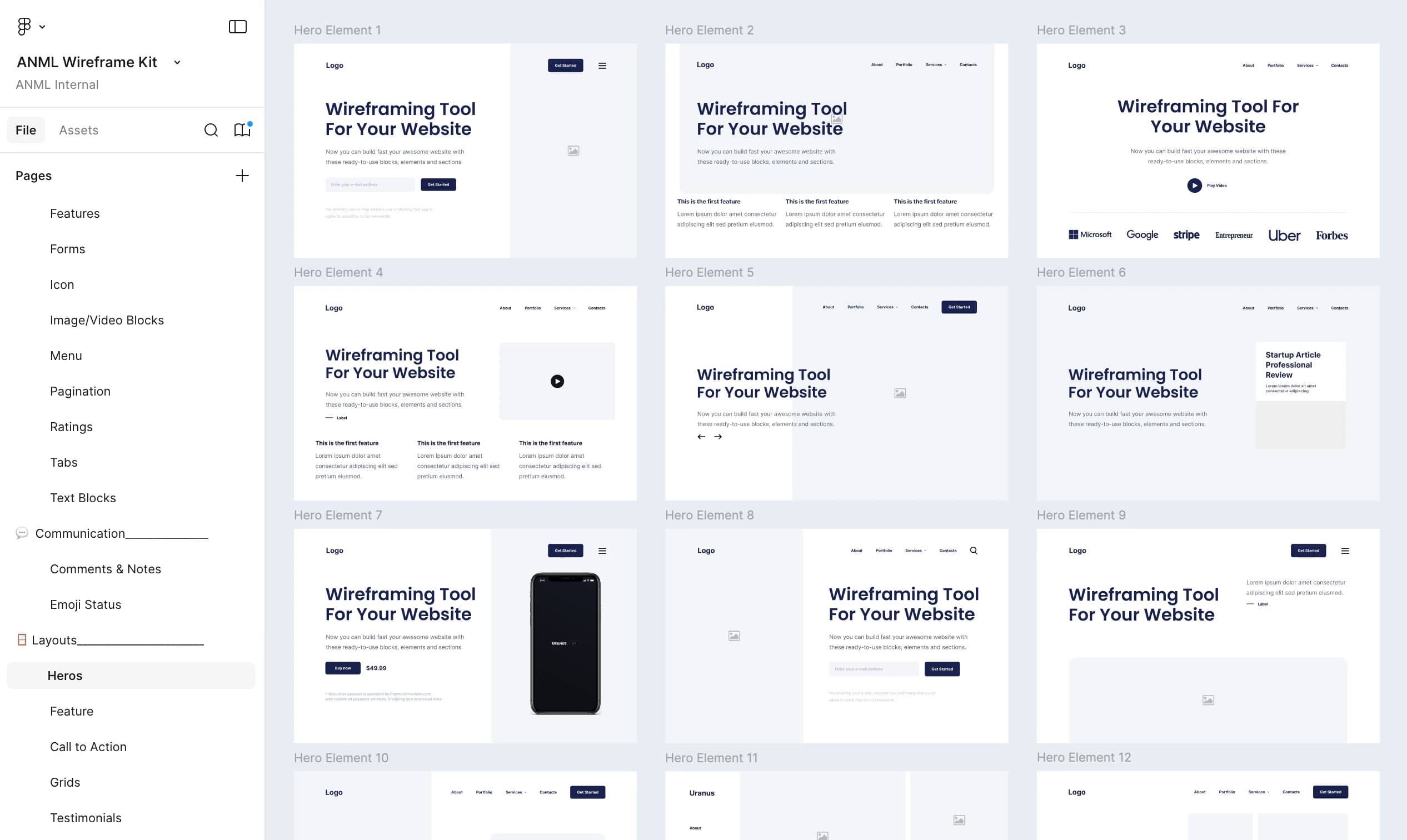
ANML has used a the Uranus v1.3 wireframe kit for past website design projects. But we also added custom components to expand what we needed and made it our own. Other great wireframe kits for web and product can be found in UI8, and free starter ones can be found right in the Figma community. Wireframe kits helps teams move faster throughout the ideation process.
Uranus Wireframe Kit used and customized by ANML:
Relume
Relume is an wireframe and sitemap builder that generates instantly with AI. ANML has used this for various web design projects.
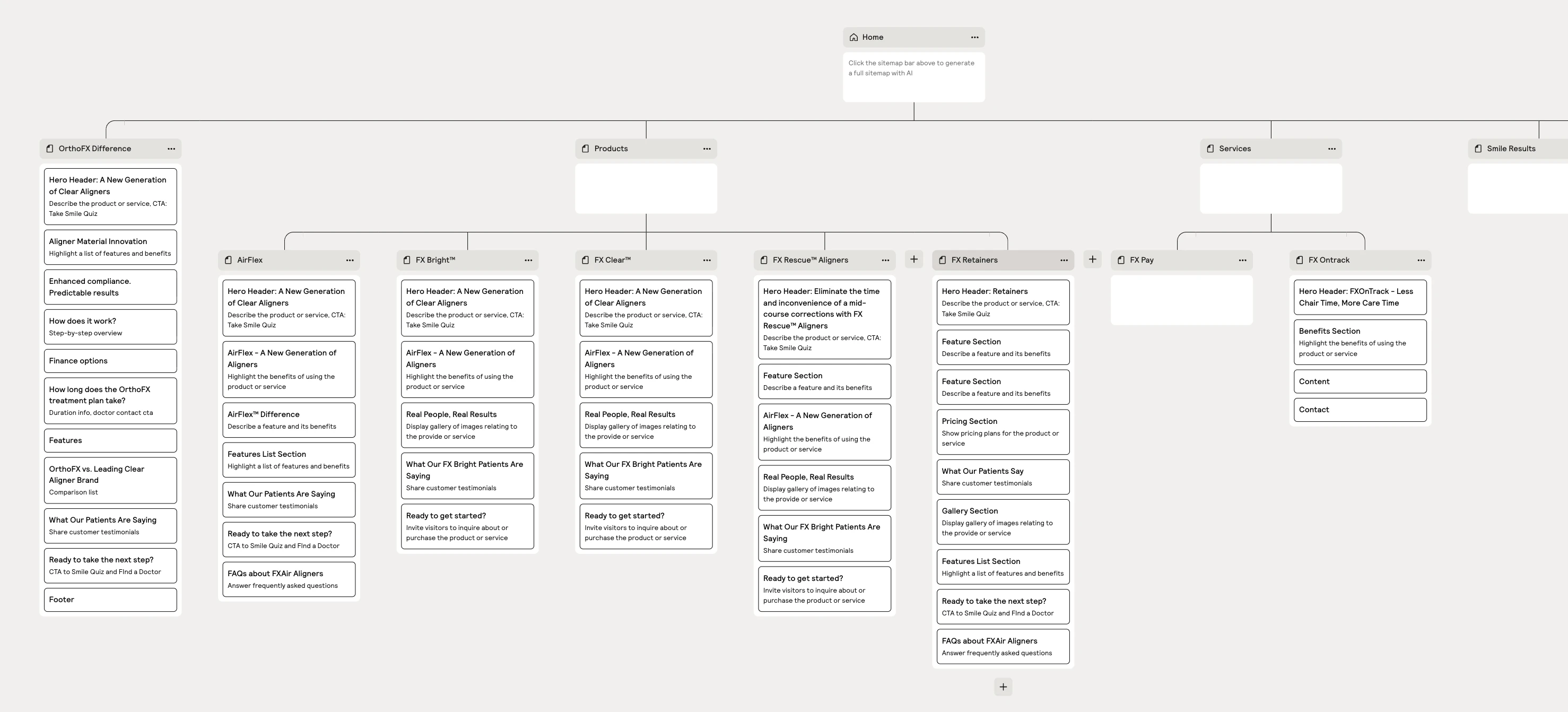
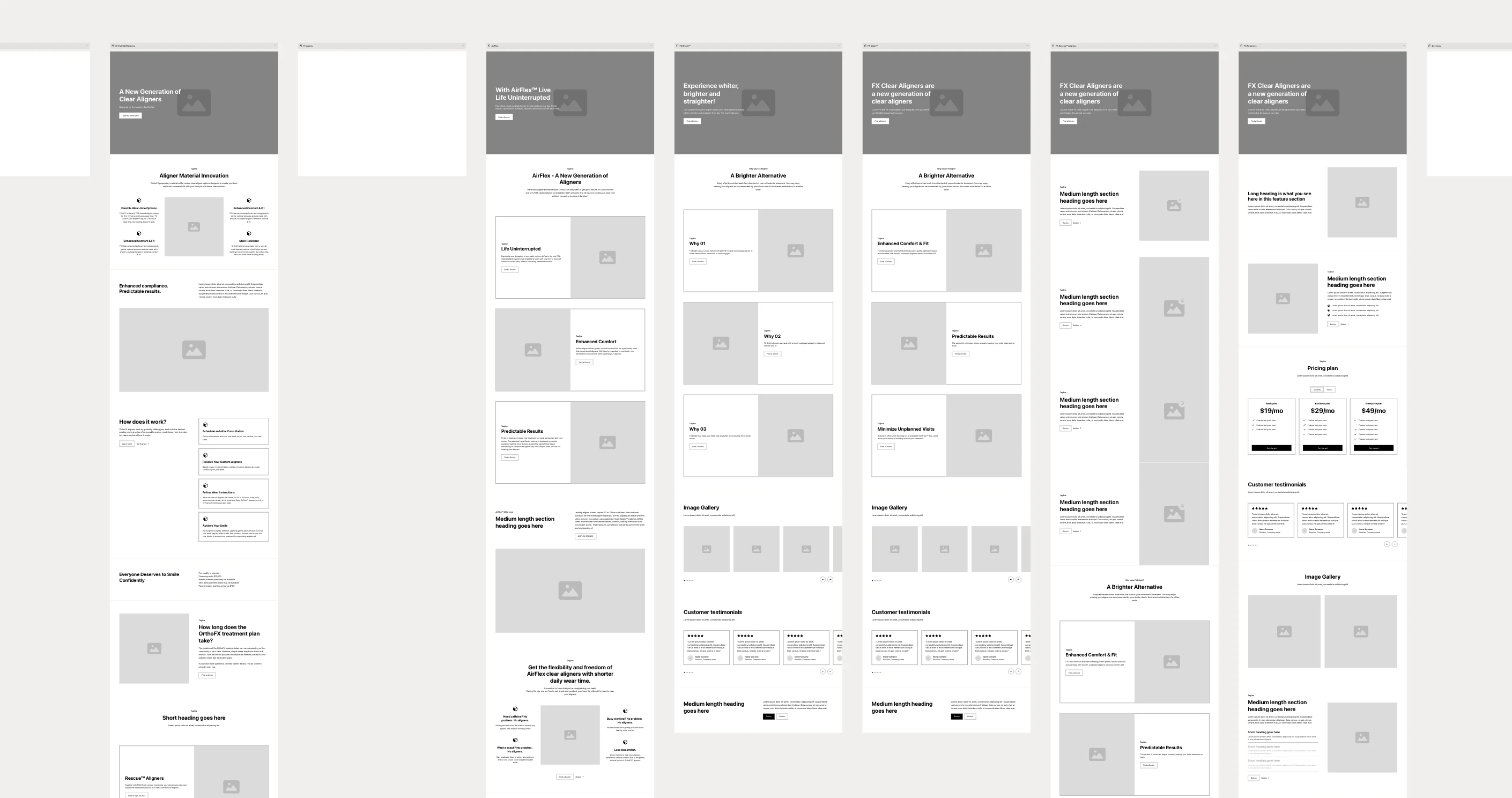
First, simply create the initial sitemap by typing in a description to generate it with AI. You can also manually build it out in Relume to refine the website’s structure. After the sitemap is finished, the wireframes are also instantly generated. The wireframe components also also interchangeable and copy can be edited too. Whatever you create there can also be exported to Figma.
ANML picks Relume as one of our top choices to create quick wireframes. We do all these steps in Relume, but we refine it more in Figma to make sure the site’s layout and UX patterns are optimal for the client’s goals and their target audience. Without the need to create wireframes manually, we save hours to get to the next step of the process quickly.
Sitemap and wireframes made in Relume for OrthoFX website by ANML:
Figma Make
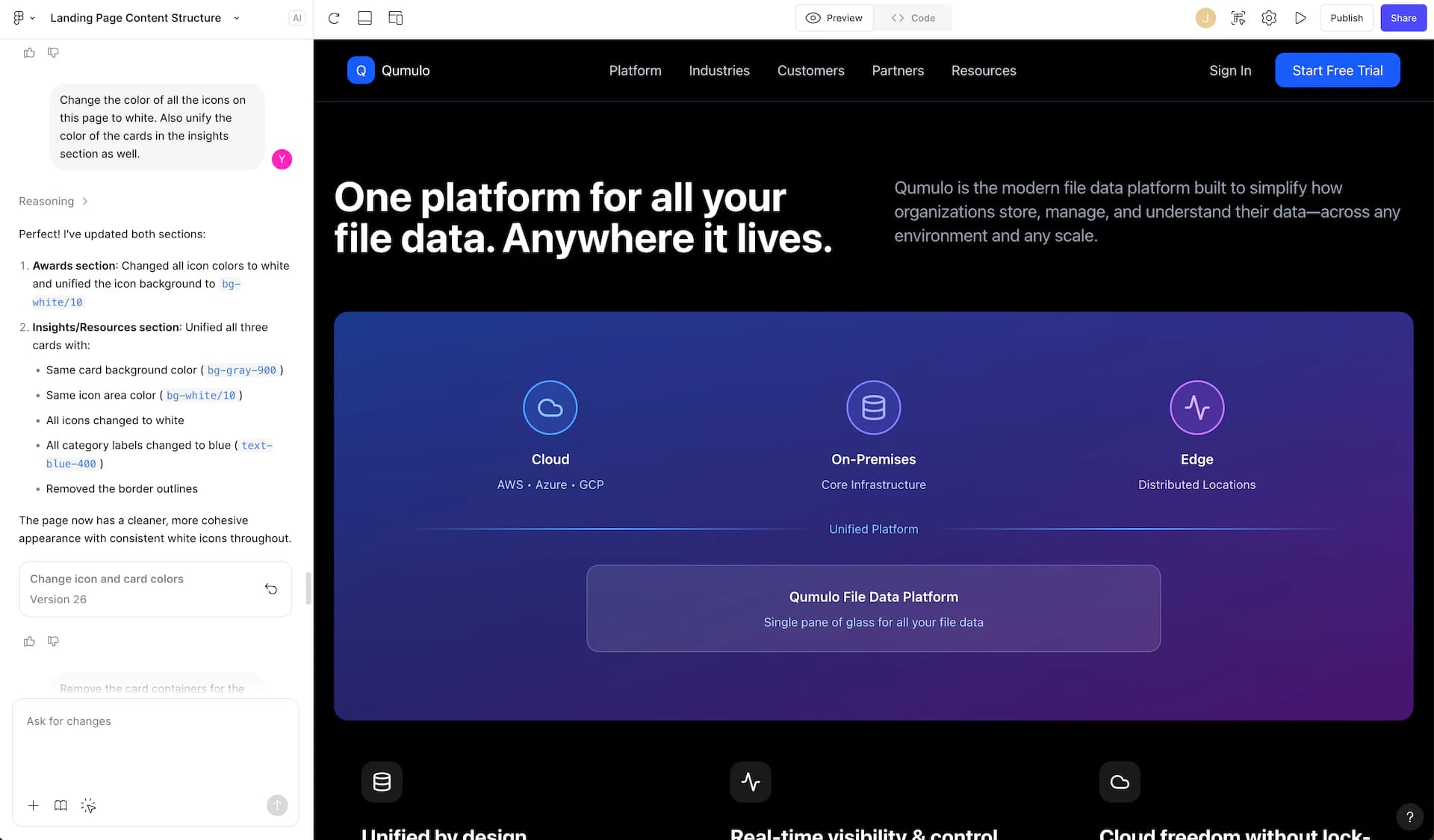
Figma Make is a generative AI tool to create functional website designs instantly. Specific parts of the generated design can also be refined by a prompt, such as changing its structure, font, color, and behavior. The generated designs are also responsive for smaller breakpoints and able to be exported into Figma frames to edit them more manually.
Figma Make can also be used to create quick wireframes, which ANML has done for our recent web designs, such as for Qumolo and Noble. We first input the page’s outline into Figma Make and ask it to generate it into a high-fidelity wireframe. We then refine certain parts of the design by prompting and in an exported Figma design. With quick prompting and refining, ANML creates faster wireframes during the ideation process.
High-fidelity wireframe made with Figma Make for Qumolo by ANML:
Wireframe Designer Plugin
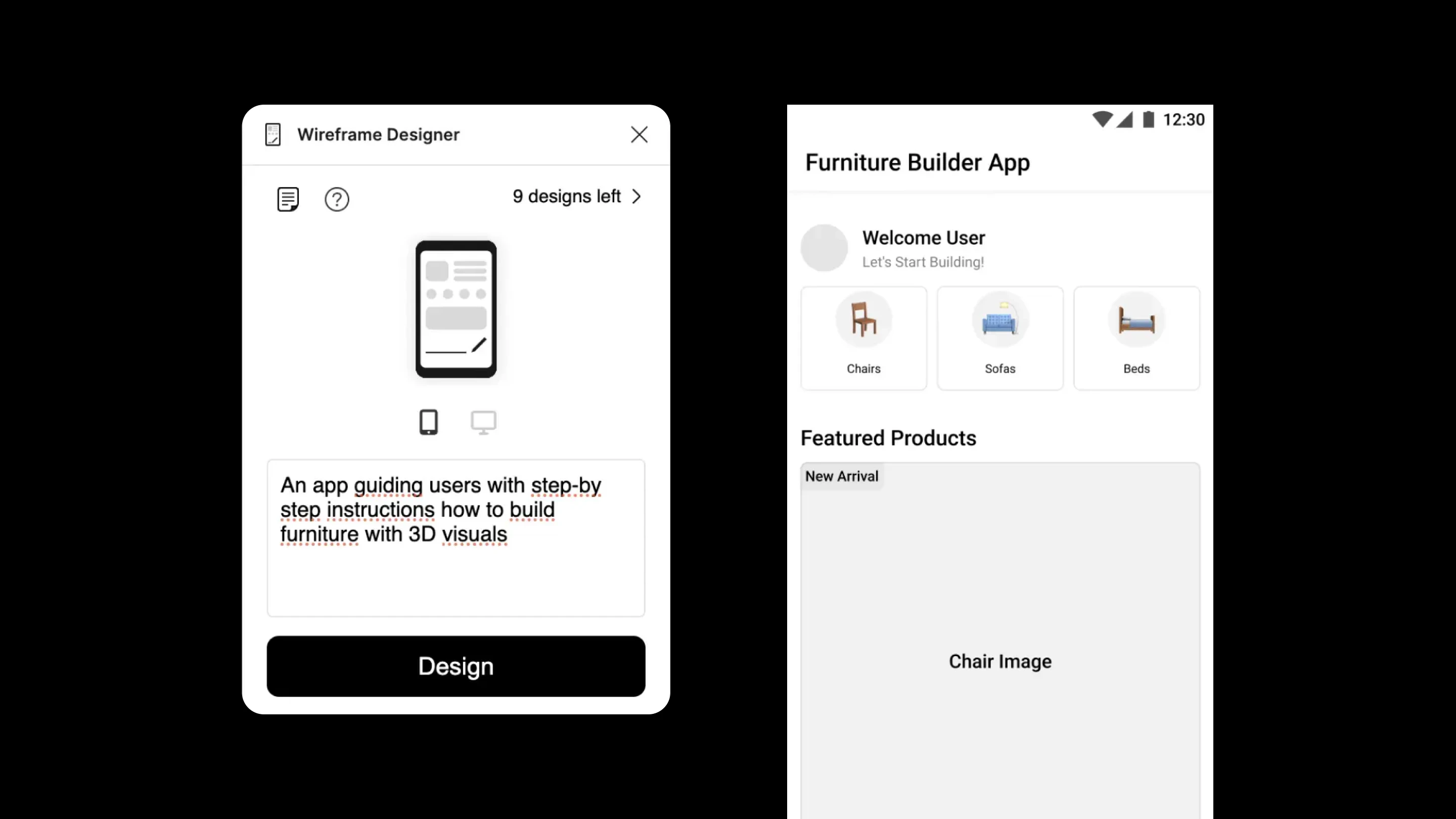
Plugins right in Figma can also aid you in creating wireframes quickly and easily. The Wireframe Designer plugin in Figma generates website and app wireframes by prompting and can be customized further. This gives a good starting point for a layout and UX patterns.
Other Generative AI Wireframe Tools
There’s many more wireframing tools to explore, but generative tools are the best ones to use now to execute the ideation process much faster for a quick starting point. UX Pilot allows for AI prompting to generate wireframes, including user flows, and can be transferred into Figma. UX Magic also can generate wireframes by prompting. Uizard does generative AI wireframes as well, but also can scan hand-drawn sketches to turn into digital wireframes.
There’s many more vast wireframing tools, especially generative AI tools, that can help speed up the UX and ideation process. ANML always takes these wireframing tools as a starting point in our process and makes sure timing, efficiency, and quality is ensured for all of our designs. Much more wireframing tools will be evolved throughout the years and we will keep an eye out for what’s fresh next.
FAQ
What is wireframing in design?
Wireframing is the process of creating a basic layout or structure for a website, app, or product before visual design begins. It shows where content goes and how users interact with it. It also helps teams align early and avoid costly revisions later.
How does AI help with wireframing?
AI tools can generate wireframes instantly from prompts. It helps designers move faster during the ideation process and reduce manual work. But human judgment is still essential for UX strategy and quality control.
Do designers still need to refine AI-generated wireframes?
Yes, AI wireframes are a starting point. Designers should refine them to ensure usability, brand alignment, and user experience quality. Most AI-generated wireframes can be exported into Figma to edit manually.
Can AI turn a sitemap into wireframes?
Yes, tools like Relume can automatically convert sitemaps into wireframes using AI.
What is the difference between low-fidelity and high-fidelity wireframes?
Low-fidelity wireframes use simple shapes and grayscale elements to focus on layout and functionality, while high-fidelity wireframes include more detail such as fonts, colors, content, and user flows.
What are the best AI tools for wireframing websites and apps?
Relume, Figma Make, UX Pilot, UX Magic, and Uizard are commonly used AI wireframing tools.
About Anml